Every year, hundreds of preventable injuries occur during equipment servicing—many due to improper machine shutdown or lack of standardized lockout tagout procedures. At the heart of a reliable energy control program is a clear, accessible lockout tagout template form PDF. It’s not just paperwork; it’s a frontline defense against unexpected startup, stored energy release, and serious workplace harm.
A well-designed LOTO form streamlines compliance, ensures accountability, and reduces human error. Whether you're in manufacturing, facilities management, or maintenance operations, having a ready-to-use, customizable PDF template saves time and strengthens safety culture.
This guide breaks down what makes an effective lockout tagout form, where to get reliable templates, and how to implement them for maximum impact.
Why a Lockout Tagout Template Form PDF Matters
A standardized form turns abstract safety policies into actionable steps. Without it, workers may skip critical stages like energy isolation verification or forget to log authorized personnel. The U.S. Department of Labor cites failure to control hazardous energy as a top OSHA violation—costing companies thousands in fines and risking employee safety.
A lockout tagout template form PDF is ideal because it's: - Portable: Easily shared across departments or downloaded to mobile devices. - Printable: Workers in industrial environments often need physical copies on-site. - Editable: Many PDFs support fillable fields, allowing digital completion and archiving. - Consistent: Ensures every team follows the same protocol, every time.
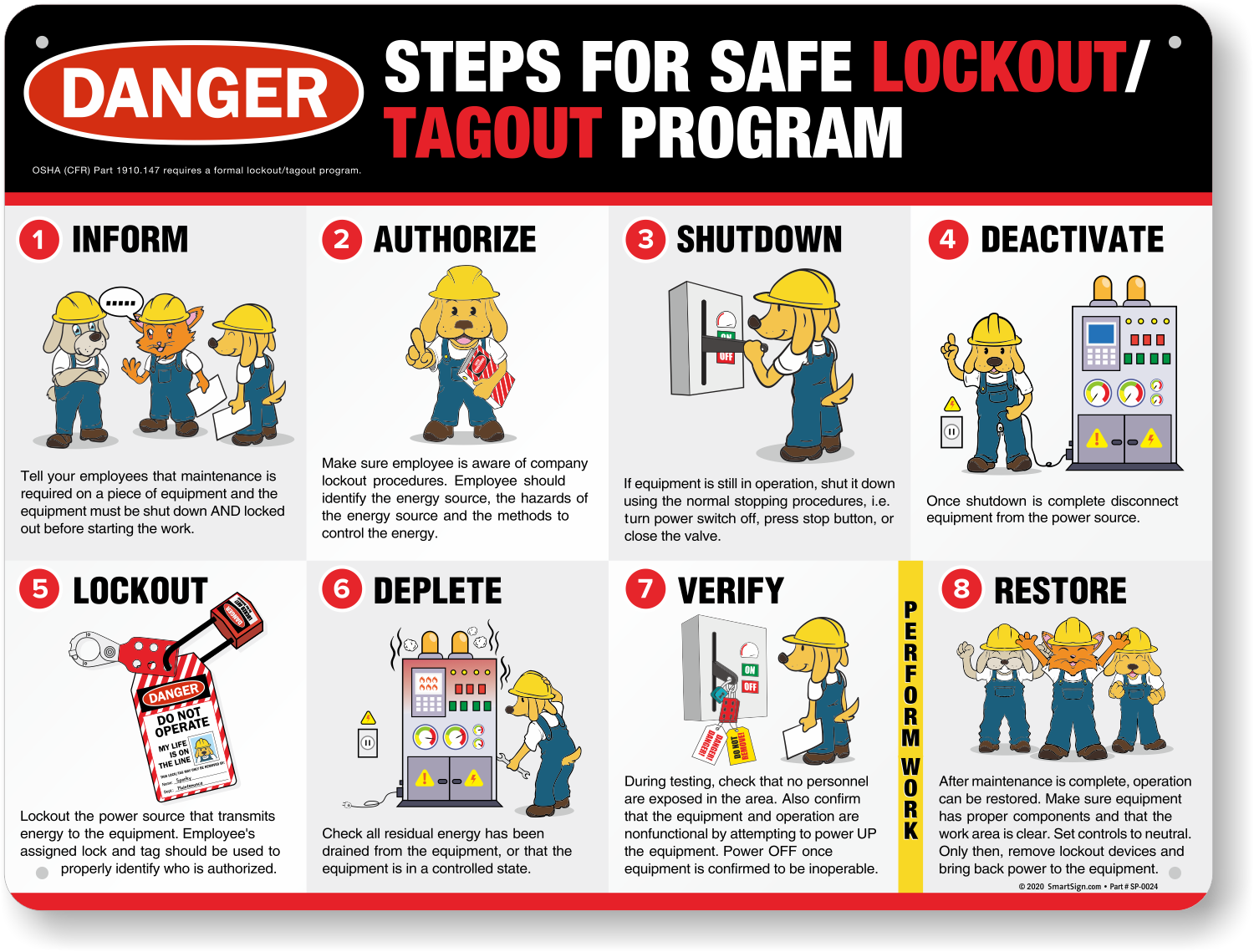
Imagine a mechanic servicing a conveyor belt. Without a form, they might assume the power is off—only to find out too late that a coworker re-energized the system. With a LOTO form, each step is documented: energy sources identified, locks applied, tags installed, and verification completed. That checklist is the difference between a safe repair and a life-altering accident.
Key Elements of an Effective LOTO Form
Not all templates are created equal. A useful lockout tagout template form PDF includes specific sections to guide users through the full energy control process. Look for these essential components:
#### 1. Equipment Identification Clearly list the machine or system being serviced. Include: - Equipment name - ID number or location - Department or area
Example: “Hydraulic Press #4 – Stamping Floor, West Wing”
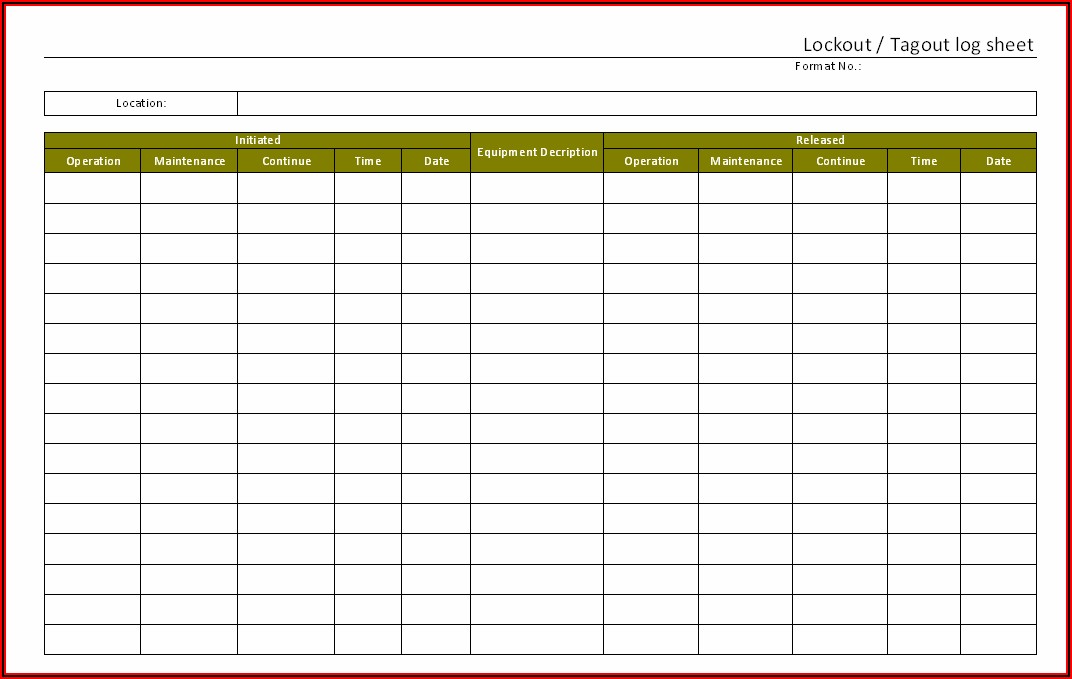
#### 2. Authorized Employee Details Designate who is performing the lockout. Include: - Name - Employee ID - Signature - Date and time of lockout
This creates accountability and helps during shift changes.
#### 3. Energy Source Checklist List all potential energy types involved: - Electrical - Pneumatic - Hydraulic - Mechanical - Thermal - Chemical
Each source should have a checkbox and space to note isolation methods (e.g., “Circuit breaker #7X disconnected”).
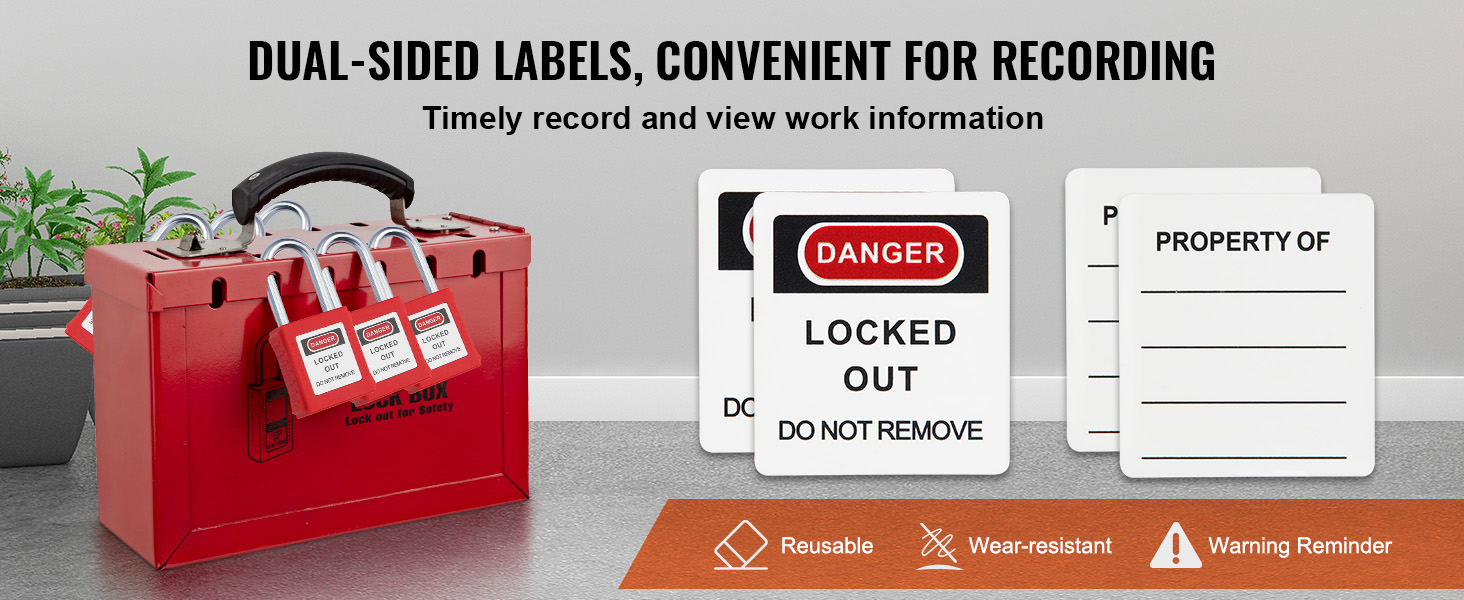
#### 4. Lock and Tag Application Record: - Number of locks applied - Lock IDs or colors - Tag contents (e.g., “Do Not Operate – Maintenance in Progress”) - Names of personnel involved
Many templates include a table for multiple workers, especially during group lockout scenarios.
#### 5. Verification of Isolation A critical but often skipped step. The form should prompt: - Attempt to start the machine (with safeguards in place) - Confirmation that zero energy is present - Signature verifying safe condition
#### 6. Release and Re-energization Outline the steps to safely remove locks: - Work completion confirmation - Area cleared of tools and personnel - Authorized unlocker signature - Date and time of re-energization
Common Mistakes in LOTO Form Usage
Even with a solid lockout tagout template form PDF, errors can undermine safety:
- Using blank or generic forms: A form not tailored to specific equipment may miss unique energy sources.
- Skipping verification: Workers assume isolation is complete without testing.
- Poor visibility: Tags placed out of sight or in damaged condition.
- Group lockout confusion: Multiple workers locking out without a master log or coordination.
- Digital reliance without backup: Relying solely on mobile forms in areas with poor connectivity.
Pro Tip: Conduct quarterly audits of completed LOTO forms. Look for missing signatures, unchecked energy sources, or inconsistent entries—then retrain as needed.
Top 5 Sources for Lockout Tagout Template Form PDFs
Not all templates are equal. Below are reliable, professionally developed options that meet OSHA 1910.147 standards and are available as free or paid PDF downloads.
| Source | Features | Editable PDF? | OSHA-Aligned? | Best For |
|---|---|---|---|---|
| OSHA.gov | Basic LOTO checklist, official guidance | No (static) | Yes | Regulatory reference |
| National Safety Council (NSC) | Comprehensive form with group lockout section | Yes | Yes | Multi-worker environments |
| Creative Safety Supply | Color-coded, visual layout, bilingual options | Yes | Yes | High-traffic or diverse workplaces |
| EHS Daily Advisor | Fillable fields, step-by-step prompts | Yes | Yes | Digital workflows |
| SafeStart | Behavior-focused design, human error prevention tips | Yes | Partial | Safety culture integration |
Recommendation: Start with the NSC or Creative Safety Supply templates—they’re user-friendly, thorough, and easily adapted to most industrial settings.
How to Customize Your LOTO Template for Real-World Use
A one-size-fits-all PDF won’t cover every machine. Here’s how to tailor your lockout tagout template form PDF for maximum effectiveness:
#### Step 1: Conduct an Equipment Audit Walk through each machine and document: - All energy sources - Isolation points (valves, breakers, disconnects) - Lockout points (hasps, valve locks, etc.)
Use photos to annotate the form—many editable PDFs allow image insertion.
#### Step 2: Add Machine-Specific Instructions Attach a supplemental sheet or add a section labeled “Special Instructions.” For example: > “Before locking out the centrifuge, drain all fluid lines and vent pressure. Confirm with gauge reading below 5 psi.”
#### Step 3: Include Visual Aids Insert simple diagrams showing: - Where to apply locks - Location of emergency stops - Energy isolation points
This reduces confusion, especially for new employees.
#### Step 4: Integrate with Training Use the completed form during LOTO training sessions. Have employees fill out a practice version while performing a mock lockout.
#### Step 5: Implement Version Control Label your PDF with a version number and review date (e.g., “LOTO Form v2.1 – Reviewed 03/2025”). Update it whenever equipment changes or after incident reviews.
Digital vs. Paper LOTO Forms: What Works Best?
While lockout tagout template form PDFs are typically associated with printed use, many organizations now use them digitally via tablets or maintenance apps.

| Factor | Paper Forms | Digital PDF Forms |
|---|---|---|
| Accessibility | Always available, no power needed | Requires device and battery |
| Legibility | Handwriting can be unclear | Typed entries, searchable |
| Storage | Physical filing, risk of loss | Cloud backup, easy retrieval |
| Audit Trail | Hard to track | Timestamps, user logs |
| Compliance | Acceptable if properly managed | Often preferred for recordkeeping |
Reality Check: A hybrid model works best. Use digital forms for logging and archiving, but keep printed copies on-site during active lockouts—especially in high-noise or hazardous zones where devices may not be practical.
Real-World Use Case: Preventing a Near-Miss in a Packaging Plant
At a Midwest food packaging facility, a maintenance technician began servicing a film sealer without completing the LOTO form. He assumed the machine was off—but residual pneumatic pressure caused a sudden clamp closure, narrowly missing his hand.
After the incident, management reviewed their process and found: - No standardized lockout tagout template form PDF in use - Reliance on verbal confirmation - Inconsistent lock application
They implemented a fillable PDF template with: - Equipment-specific energy checklists - Mandatory verification step - Digital submission requirement
Within six months, LOTO compliance rose from 68% to 96%, and zero energy-related incidents were reported.
Final Tips for Implementing LOTO Forms Successfully
- Train consistently: Review the form during annual and refresher training.
- Keep it visible: Post a sample near high-risk equipment.
- Audit regularly: Randomly check 5–10 completed forms per month.
- Involve employees: Let frontline workers suggest form improvements.
- Update after incidents: Use near-misses to refine your template.
A lockout tagout template form PDF is more than a document—it’s a living part of your safety system. When properly designed and used, it turns compliance into a habit, not a hurdle.
Download a reliable template today, customize it for your operations, and make energy control a non-negotiable standard.
Frequently Asked Questions
Where can I find a free lockout tagout template form PDF? OSHA.gov offers basic templates, and organizations like the National Safety Council and Creative Safety Supply provide free, downloadable, editable PDFs.
Can I edit a lockout tagout PDF form for my facility? Yes—many templates are designed as fillable or editable PDFs. Use Adobe Acrobat or similar software to customize fields, add logos, or include machine-specific instructions.
Is a PDF form acceptable for OSHA compliance? Yes, as long as it documents all required elements of 1910.147, including equipment details, energy sources, authorized employee info, and verification steps.
How long should I keep completed LOTO forms? OSHA doesn’t specify a retention period, but best practice is to keep records for at least one year or until the next scheduled audit.
Should lockout forms be in multiple languages? If your workforce includes non-English speakers, yes. Bilingual forms reduce miscommunication and improve compliance.
Can digital LOTO forms replace paper? Digital forms are acceptable if they’re accessible during lockout, tamper-proof, and include all required information. Always have a backup plan for tech failures.
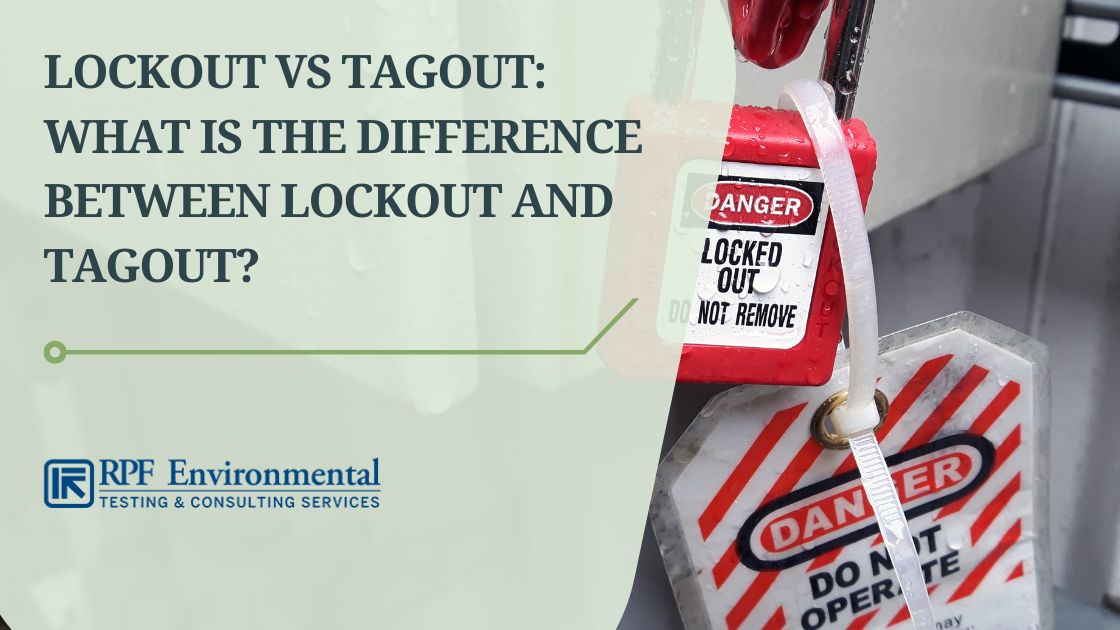
What’s the difference between lockout and tagout? Lockout uses physical devices (locks, hasps) to isolate energy. Tagout uses warning tags alone. Lockout is preferred; tagout is only acceptable when locks can’t be used.
FAQ
What should you look for in Lockout Tagout Template Form PDF for Workplace Safety? Focus on relevance, practical value, and how well the solution matches real user intent.
Is Lockout Tagout Template Form PDF for Workplace Safety suitable for beginners? That depends on the workflow, but a clear step-by-step approach usually makes it easier to start.
How do you compare options around Lockout Tagout Template Form PDF for Workplace Safety? Compare features, trust signals, limitations, pricing, and ease of implementation.
What mistakes should you avoid? Avoid generic choices, weak validation, and decisions based only on marketing claims.
What is the next best step? Shortlist the most relevant options, validate them quickly, and refine from real-world results.